
Using NetSuite and looking for a way to calculate commissions?
Using Sales Cookie, you can:
- Connect To NetSuite In Minutes
- Effortlessly Manage Commission Plans
- Run Accurate Commission Calculations
- Provide a Commission Dashboard to Each Rep
Sales Cookie is the most advanced commission solution on the planet. We process billions of dollars in sales for companies ranging from Fortune 500 to small retailers. We can handle the most complex plans (those with advanced accelerators, tiers, exceptions, draws, claw-backs, blended rates, etc.).
Connecting To NetSuite
NetSuite is a powerful and complex enterprise CRM solution. For any application to connect to NetSuite, we must first create what is called an OAuth integration record in NetSuite. An integration record allows you to control permissions and monitor access from external apps.
On this screen, you can see that NetSuite supports 3 authentication schemes:
- Token-based Authentication: a legacy scheme (NOT recommended)
- OAuth 2.0: for modern access to REST web services
- User Credentials: also called Machine-to-Machine (M2M) authentication

Sales Cookie supports the modern 2 schemes above. One important limitation of NetSuite is that regular OAuth authentication only works for 1 week! After that, you must re-authorize manually, which is obviously annoying. Only the last scheme (User Credentials) allows for long-term connectivity.
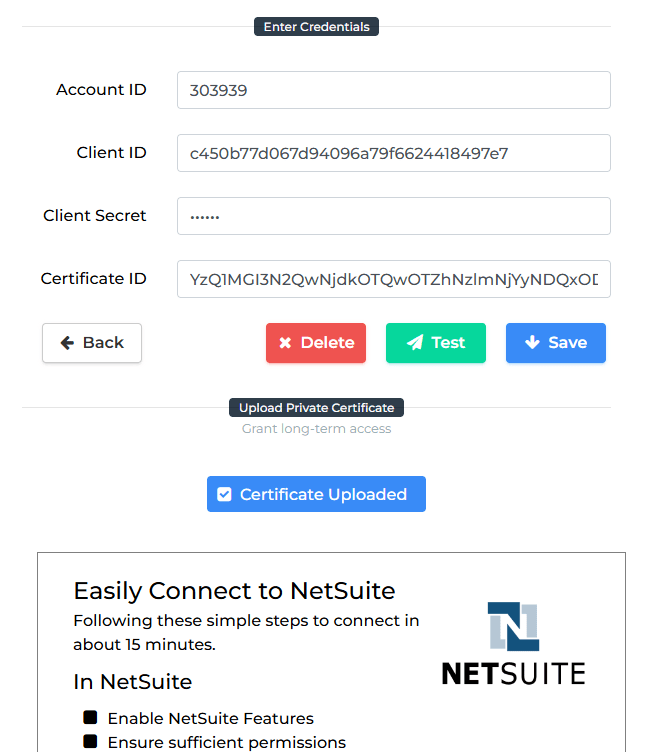
In this blog post, we will NOT cover all the steps required to configure NetSuite’s integration record and provide connectivity for up to 2 years. The required steps are very well documented in this KB article and can be completed in about 10-15 minutes. Your final outcome will be this screen in Sales Cookie with values populated from your own integration record:
Synchronizing NetSuite Data
Very cool! We have established a working connection to NetSuite. Now, thanks to the power of SuiteQL, we can pull any type of data into Sales Cookie. That’s right – we can pull employees, vendors, invoices, credit memos, sales orders, purchase orders, catalog items, etc. We just need to formulate the right SuiteQL query.
Here is a simple SuiteSQL query to retrieve 2 fields from transactions:
SELECT T.status, T.trandate FROM Transaction AS T
The response is not very pretty. The “status” is returned as a number (we would like a proper status description), and field name “trandate” isn’t very user-friendly. Let’s improve using “AS” aliases and the BUILTIN.DF() function. This function converts the status number into a status text description.
SELECT BUILTIN.DF(T.status) AS “Transaction Status”, T.trandate AS “Transaction Date” FROM Transaction AS T
Next, Sales Cookie is designed to retrieve data incrementally. We don’t want to pull all your 100K transactions every hour! We only want to pull what has changed since the last sync cycle ran. To do this, we can query data which changed since the last synchronization cycle as shown below.
SELECT TO_CHAR(T.lastmodifieddate, ‘YYYY-MM-DD HH24:MI:SSxFF’) AS lastmodifieddate, BUILTIN.DF(T.status) AS “Transaction Status”, T.trandate AS “Transaction Date” FROM Transaction AS T WHERE lastmodifieddate >= @Threshold ORDER BY lastmodifieddate ASC
Note the @Threshold which will be replaced and advance on each synchronization cycle. Ok, we know that building a SuiteQL query can be a little bit tricky. This detailed KB article provides examples. Our configuration team will help you craft the perfect SuiteQL query to bring exactly the data you need to calculate commissions.
In the example below, we are synchronizing 2 entities (transaction lines and product items) from NetSuite to Sales Cookie, using 2 separate SuiteQL queries. The data sync has a tiny footprint on your NetSuite environment since it’s incremental. Every hour, we only retrieve those records which are new or changed, ensuring a very efficient synchronization process. We follow the same approach for all our connectors (ex: QuickBooks, Xero, SalesForce, Stripe, Chargebee and many others).

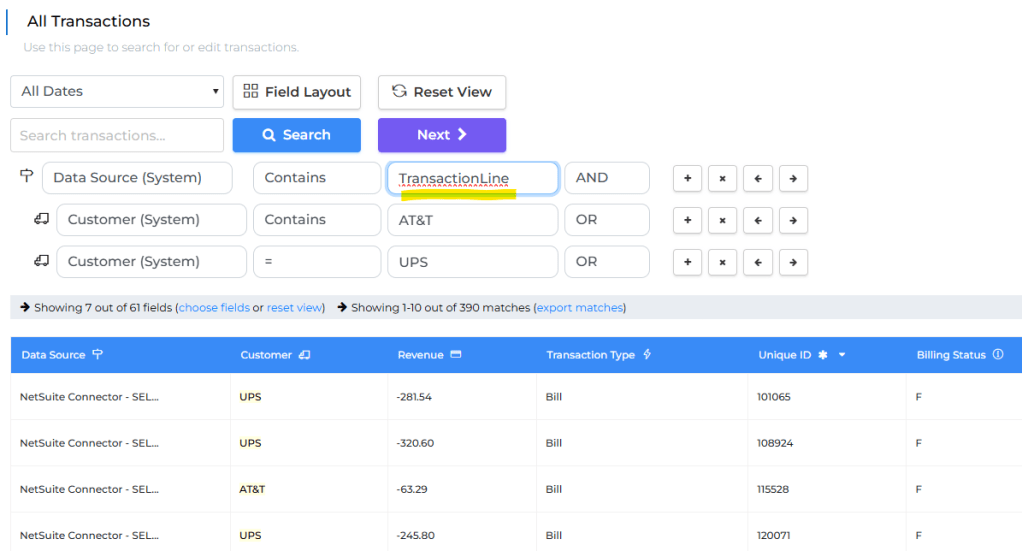
Perfect, we got NetSuite data into Sales Cookie. Sales Cookie provides an extremely powerful, unified data store capable to spanning across multiple data source (ex: NetSuite invoices + NetSuite vendors + CSV data + Snowflake data). In this example, we are only querying for NetSuite transaction line records whose customer contains “AT&T” or is equal to “UPS”. We can also build data filtering scripts to only select relevant data for commission calculation purposes.
Configuring Commission Plans
We now have all the NetSuite data required to calculate commissions. We can configure incentive plans to automate the following:
- Calculating commissions (crediting, attainment, claw-backs, etc.)
- Generating online dashboards for reps and sales leaders
- Generating reports for admins, team leads, etc.
At Sales Cookie, we can automate the most complex commission structures. We can automate all types of plans, including those with complex tiers, lookup tables, exceptions, rules, filters, claw-backs, repayments, multi-level hierarchies, etc. Our solution was architected from the ground up to provide unmatched flexibility. It’s actually quite simple. We never encounter a structure we’re unable to automate.
Let’s create a simple commission plan:

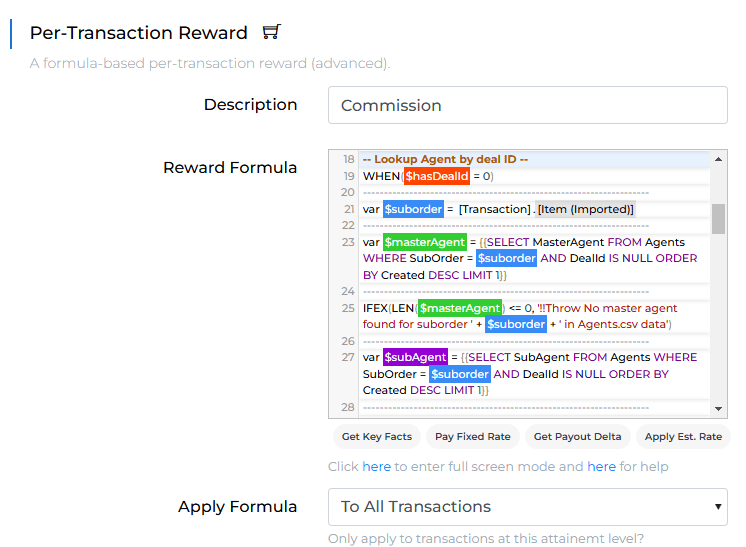
We won’t show you all the creation steps, but here is a complex formula to show you how deep the rabbit hole can go. Perhaps your own commission structure will NOT need any formula. But in case you need complex rules / queries, we do have your back!
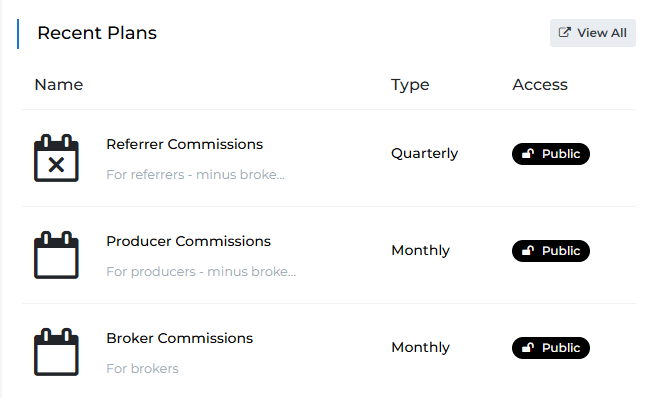
Here are have 3 plans for different roles / types of commissions.
Here is the first tab of a sample plan:

There are a lot of tabs, but here is another tab showing commission tiers and associated rewards:

Obviously, we can manage plan versions and compare changes:

We can even perform automated feasibility reviews:

Plans support many other things such as:
- Automatically enroll reps
- Control plan visibility and access
- Generate all types of reports
- Export plan logic
- Setup plan targets
- Review plan activity
- Run simulations
- Etc.
Running Calculations
We now have:
- Data flowing automatically from NetSuite to Sales Cookie
- Commission plans configured in Sales Cookie and ready for calculations
Calculations can be ran manually or automatically:

This also generates leaderboards, manager dashboards, rep dashboards, etc. All the commission statements are online and accessible anytime – from any device!

Reporting
Besides built-in reports, all Sales Cookie data can be accessed using different methods:
- Via OData API
- Via Excel
- Via Power BI
- Via Tableau
- Etc.
This makes it possible to generate any report based on users, transactions, commissions, etc. Query the right entities and the sky’s the limit!
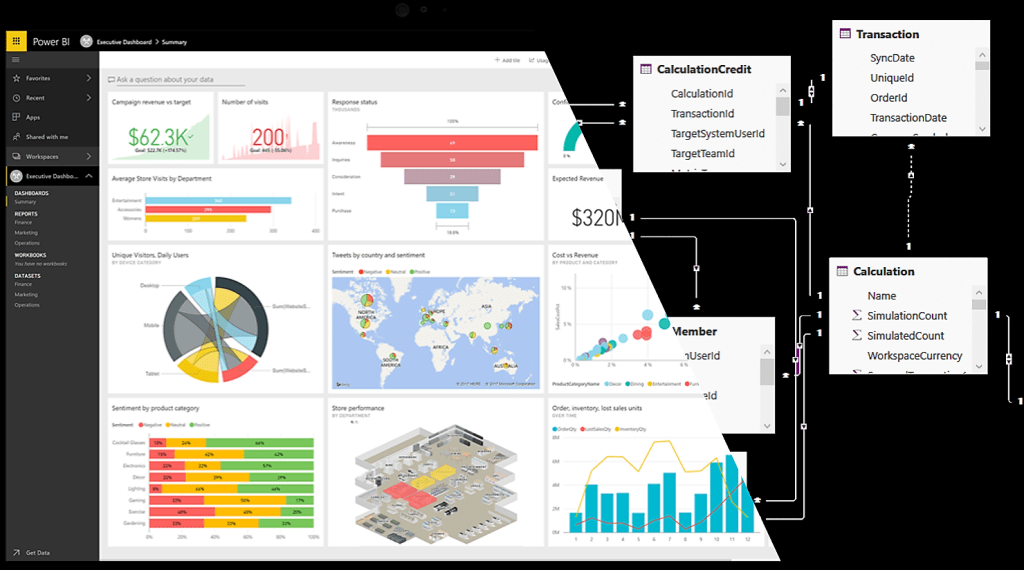
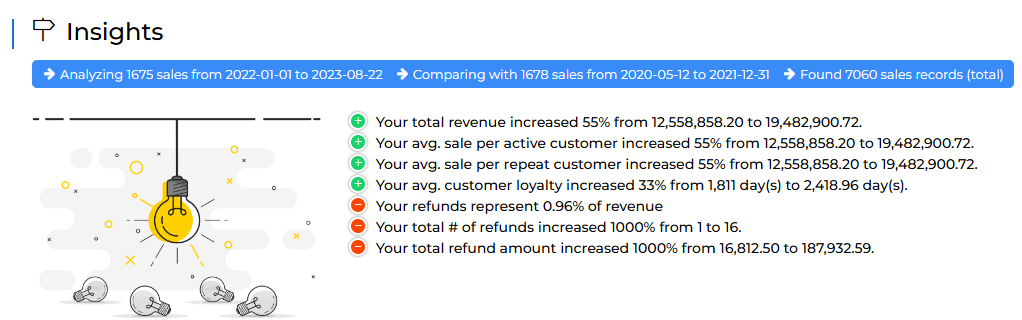
We also support complex reports such as ASC 606 amortization, liability reporting, manual adjustment reports, revenue analytics, etc.

Commission Tools
Sales Cookie provides all the tools you need to manage certain actions, such as:
- Editing rep territories
- Mass-updating users / transactions
- Managing quotas
- Uploading adjustments
- Issuing manual claw-backs
- Exporting plan definitions
- Etc.
Here are a few of the tools we provide:

In Conclusion
If you use NetSuite and are looking for a way to calculate commissions, you should be using Sales Cookie. Sales Cookie can synchronize any data stored in NetSuite. Leveraging NetSuite sales data, we can define incentive plans, automatically calculate commissions, and generate rep / manager dashboards. All Sales Cookie data is accessible using many different APIs and reporting solutions. Visit us online to learn more!
 Sales Commissions Explained