Reading time: about 11 minutes. For finance leaders, controllers, and Sales Ops teams running QuickBooks Online or QuickBooks Desktop with a commissioned sales team.
If your company runs on QuickBooks, you already know the rhythm. Invoices clear, payments hit, and at the end of every month somebody on the finance team opens a spreadsheet to figure out who gets paid what. That spreadsheet is the most fragile thing in the entire close cycle, and it should not be.
This guide walks through how to automate sales commissions on top of QuickBooks Online and QuickBooks Desktop, what data you need, and how Sales Cookie sits between the two so commissions calculate and post without human stitching.
Why QuickBooks is where this gets interesting
Intuit’s FY24 results showed roughly 100 million Intuit customers globally, with around 10 million small and medium businesses on the QuickBooks platform. The U.S. SMB accounting market share consistently runs in the high fifties to low sixties percent range, and 18 million U.S. workers are paid through QuickBooks-connected payroll. Most of those companies have at least one commissioned role. Many have whole sales teams running on it.
QuickBooks is the system of record for the only number that matters in commission, the number the customer actually paid. That makes QuickBooks the right anchor for commission automation, especially for SMB companies that do not run a separate revenue or billing platform.
The manual workflow nobody admits to
Here is what commission month-end looks like at most QuickBooks-based companies before automation.
- Export an invoice or sales report from QuickBooks to CSV.
- Open it in Excel and add columns for rep ownership, plan rules, splits, and adjustments.
- VLOOKUP against a separate quota tracker.
- Email statements as PDFs.
- Field disputes for two weeks.
- Manually post the journal entry for accrued commission expense back into QuickBooks.
- Hand-key the payable amount into the payroll provider.
Every single one of those steps is a place where data drift happens. Ray Panko’s foundational research at the University of Hawaii found that 86 to 90 percent of spreadsheets contain at least one error, with an average cell error rate of 3.2 percent. Eighty-two percent of those errors are logic mistakes that survive a manual review. When the same dataset is touched eight times by hand each month, the question is not whether errors will appear. It is which deal a rep will catch first.
What good QuickBooks commission automation looks like
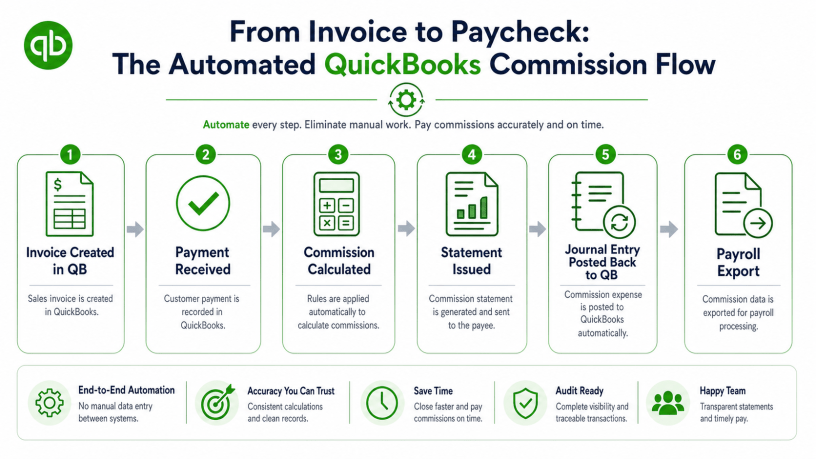
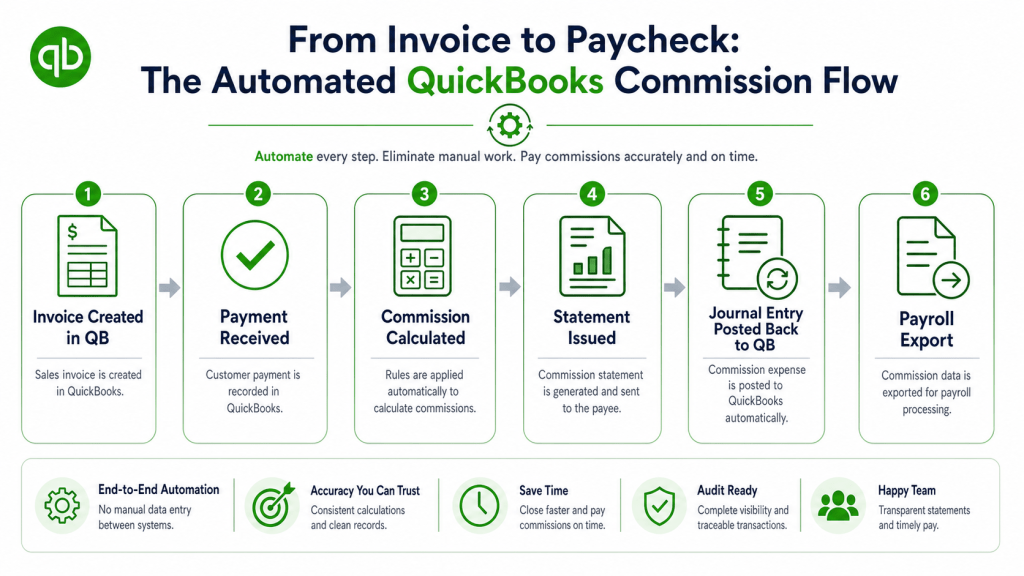
The automated workflow inverts the manual one. Instead of pulling data into a spreadsheet, the calculation engine pulls data directly from QuickBooks, applies the plan rules in code, and pushes the journal entries back. The rep sees their statement online, the controller sees the GL entry, and the spreadsheet disappears.
| Stage | Manual approach | Automated with Sales Cookie + QuickBooks |
|---|---|---|
| Data ingestion | Manual CSV export from QuickBooks | Direct API sync (invoices, payments, customers, items) |
| Rep credit assignment | VLOOKUP from a rep mapping tab | Effective-dated assignment rules with audit trail |
| Plan calculation | Excel formulas, error-prone | Rule-based engine with validation tests |
| Statements | PDF email blast | Self-service portal with deal-level drill-down |
| Journal entries | Hand-keyed into QuickBooks | Auto-posted JE with line-level detail |
| Payroll handoff | Re-typed into payroll system | Export file or API push to payroll |
| Audit trail | Email chains, version history | Immutable history per statement |
The QuickBooks fields that drive commission
Most plans are built from a small number of QuickBooks objects. Knowing which ones to wire up is half the implementation.
| QuickBooks object | Why it matters for commission |
|---|---|
| Invoice | Source of the booked amount, item lines, and customer |
| Payment | Triggers commission for “paid when paid” plans, supports clawbacks on refunds |
| Sales Receipt | Same role as invoice + payment combined for cash-basis sellers |
| Customer | Used for territory, segment, and rep ownership lookups |
| Item / Service / Product | Drives product-specific commission rates and SPIFs |
| Class / Location | Optional dimensions for plan segmentation |
| Credit Memo / Refund | Drives clawbacks and reversed commission |
| Journal Entry | Where calculated commission expense and accrual post back |
ASC 606 compliance is part of the deal
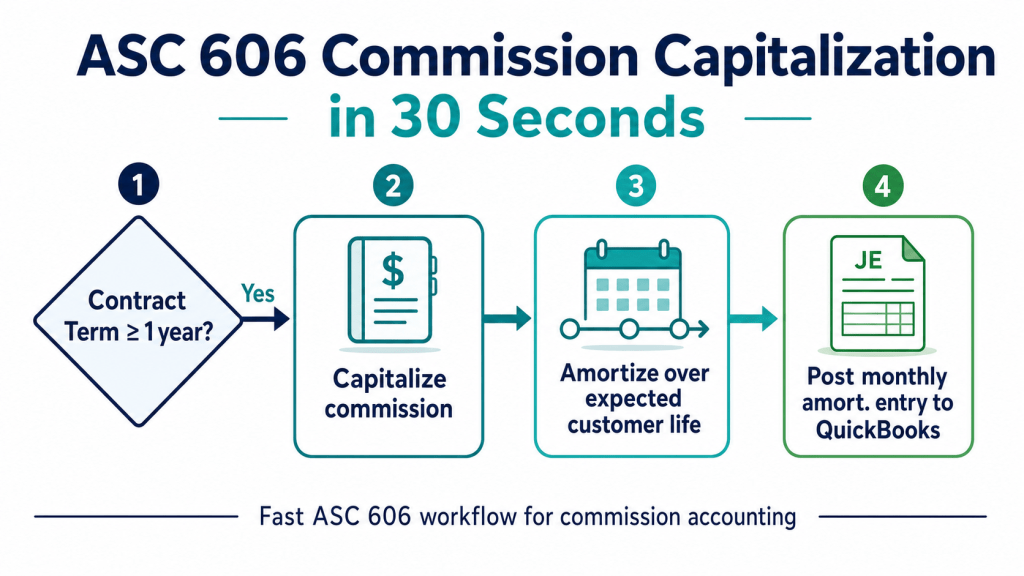
Commissions on contracts longer than one year are usually capitalizable under ASC 340-40, the cost-to-obtain-a-contract subsection of ASC 606. Deloitte’s DART practice library and KPMG’s revenue recognition handbook both note that the most common audit findings are improper use of the practical expedient on multi-year contracts and inconsistent commission amortization. The SEC has cited several issuers in comment letters specifically for unclear capitalization of sales commissions.
An automated platform should split commission expense between period expense and capitalized portions, generate the amortization schedule, and post both sides cleanly back into QuickBooks so the auditor sees a complete trail. Trying to maintain that bifurcation in a spreadsheet is one of the riskier things small finance teams do.
QuickBooks Online vs. QuickBooks Desktop
Both versions can be automated, but the integration patterns differ.
- QuickBooks Online. Supports a modern REST API, OAuth-based authentication, and webhook events for new invoices and payments. Sync is near real-time. This is the cleanest path and the recommended option for any company with a meaningful sales team.
- QuickBooks Desktop. Uses the QuickBooks Web Connector and the older qbXML protocol. Sync runs on a schedule rather than via webhooks. Sales Cookie supports both, but you should expect end-of-day rather than minute-level latency on Desktop.
Implementation in 30 days
- Week 1. Connect QuickBooks. Map customers to reps, items to product categories, and classes to territories. Pull six months of historical invoices for back-testing.
- Week 2. Encode each commission plan as rules. Run the engine on the historical data and reconcile to what was actually paid. Resolve any deltas, those are usually the deals that produced disputes.
- Week 3. Roll out rep-facing statements in shadow mode, meaning reps can see them but they are not yet the system of record. Collect feedback and tune the plan documentation.
- Week 4. Cut over. Automated statements become the system of record, journal entries post directly to QuickBooks, and the spreadsheet is archived.
What to measure after go-live
| KPI | Pre-automation | Target after 60 days |
|---|---|---|
| Days from period close to statement issued | 10 to 20 | 1 to 3 |
| Disputes per 100 statements | 8 to 14 | 1 to 3 |
| Hours of finance team time per month on commission | 20 to 60 | 2 to 5 |
| Manual journal entries posted | All | Zero |
| Audit prep time for commission | Days | Hours |
Bottom line
If your sales team is paid out of QuickBooks, the calculation does not need to live in a spreadsheet. The integration patterns are mature, the API surface is well documented, and the audit benefits are immediate. The right question is not whether to automate. It is whether to do it before or after the next dispute lands in your inbox.
See how Sales Cookie connects to your QuickBooks instance in under an hour. Start a trial or browse the Sales Cookie support center for the QuickBooks integration guide.
Sources: Intuit FY24 investor results; Panko, “What We Know About Spreadsheet Errors” (University of Hawaii); FASB ASC 340-40; Deloitte DART revenue recognition; KPMG Revenue Recognition Handbook 2023.
 Sales Commissions Explained